
How Repairs Work in ReStory
A play-along repair method that respects device-specific steps instead of inventing one universal teardown.
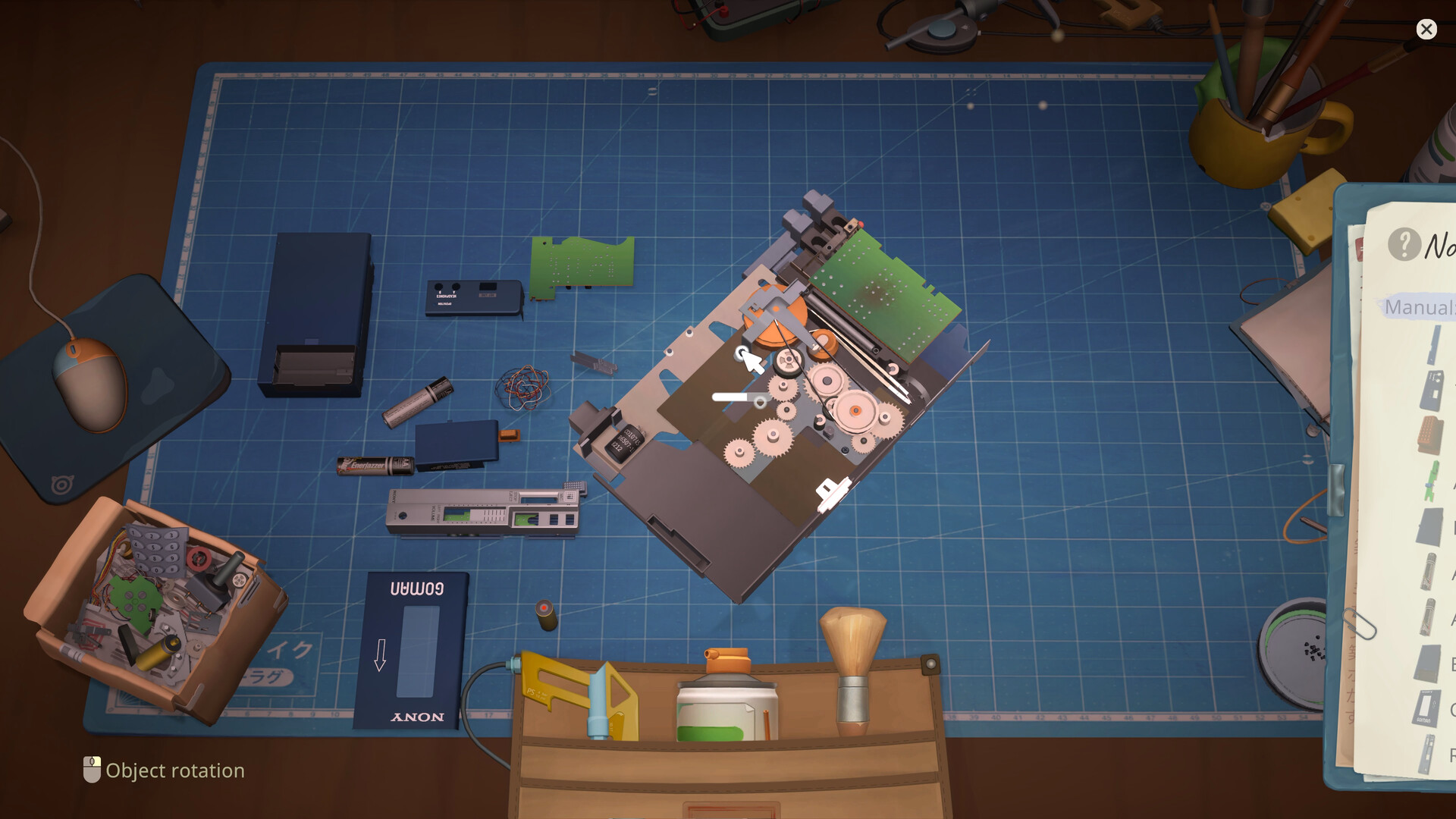
Table of contents
A ReStory repair is a layered object puzzle. The exact pieces change by device, but the reliable workflow stays the same: understand the request, expose the problem, restore the affected parts, and rebuild in dependency order.
1. Confirm the required result
Start with the visible job requirements and the in-game to-do list. A device may need cleaning, a replacement component, soldering, painting, reprogramming, or a combination. Do not infer a full rebuild when the current job asks for one smaller result.
The checklist is device-specific. This guide explains the method around it; it does not replace the current device's own part diagram or task list.
2. Make room on the work mat
The mat is the active repair surface. Move boxes, completed work, and donor hardware aside before beginning. Keeping one job centered makes small screws and loose components easier to track.
3. Disassemble from the outside inward
Remove the case pieces and visible fasteners before deeper components. Rotate and zoom when a screw or connector is hard to see. Each exposed layer gives you two pieces of information:
- what can be removed next;
- what will have to be restored earlier during reassembly.
If you lose the sequence, pause and read the shape of the remaining assembly. Parts that sit behind a shell or under a board normally need to return before that cover can close.
4. Separate dirt from failure
Cleaning and repair are different outcomes. Dust and grime may be removed with cleaning tools, while a faulty component needs a working replacement or an available repair action. Some jobs need only cleaning; others will not pass until the damaged part is addressed.
This distinction prevents the most common wasted purchase: buying a donor before you know whether the existing part is actually bad.
5. Restore the affected components
Use the action the current checklist supports.
- Cleaning: remove dirt from the required parts, not just the outer case.
- Replacement: obtain a compatible working part from direct parts shopping, a donor device, or a parts box.
- Soldering: repair a supported component when the job exposes a soldering task.
- Painting and stickers: complete customization requirements when the order calls for them.
- Reprogramming: perform the supported software-style repair when it becomes available.
Not every tool is available at the beginning, and not every device uses every action. The public achievement list confirms these systems exist, but it does not prove a single universal unlock order.
6. Reassemble from the inside outward
Reverse the dependency chain you uncovered during disassembly. Begin with the deepest board, cable, battery, or internal frame that other pieces cover. Then return the shell, controls, and external fasteners.
If the next piece refuses to fit, check for:
- a missing internal component;
- a part installed in the wrong orientation;
- a cover being attempted before the layer beneath it;
- an unfinished checklist action on the selected part.
Do not treat repeated clicking as a solution. The device's visible structure is the clue.
7. Finish the handoff
Complete the device checklist, clear the active mat, and return or dispatch the job through the channel that supplied it. Walk-in work and email orders share the repair bench but have different intake and delivery context.
A compact bench checklist
- Request understood
- Work mat clear
- Outer fasteners removed
- Part order observed
- Dirt cleaned where required
- Faulty components repaired or replaced
- Customization or reprogramming completed when requested
- Internal layers returned before covers
- To-do list complete
- Device handed back or dispatched
Need a component? Continue to Spare Parts and Marketplace. Want the confirmed tool set? Open Tools and Workshop Upgrades.
Related guides
ReStory Beginner Guide: Your First Day
Complete the opening repair loop, protect bill money, and choose a sensible next upgrade.
Read guideReStory Tools and Workshop Upgrades
Understand confirmed screwdriving, cleaning, soldering, recycling, paint, sticker, and reprogramming paths.
Read guideReStory Spare Parts and Marketplace Guide
Buy direct parts, donor devices, or parts boxes without creating a storage problem.
Read guide