
ReStory Spare Parts and Marketplace Guide
A practical donor workflow for the Y2K browser, one-device work mat, and reusable leftovers.
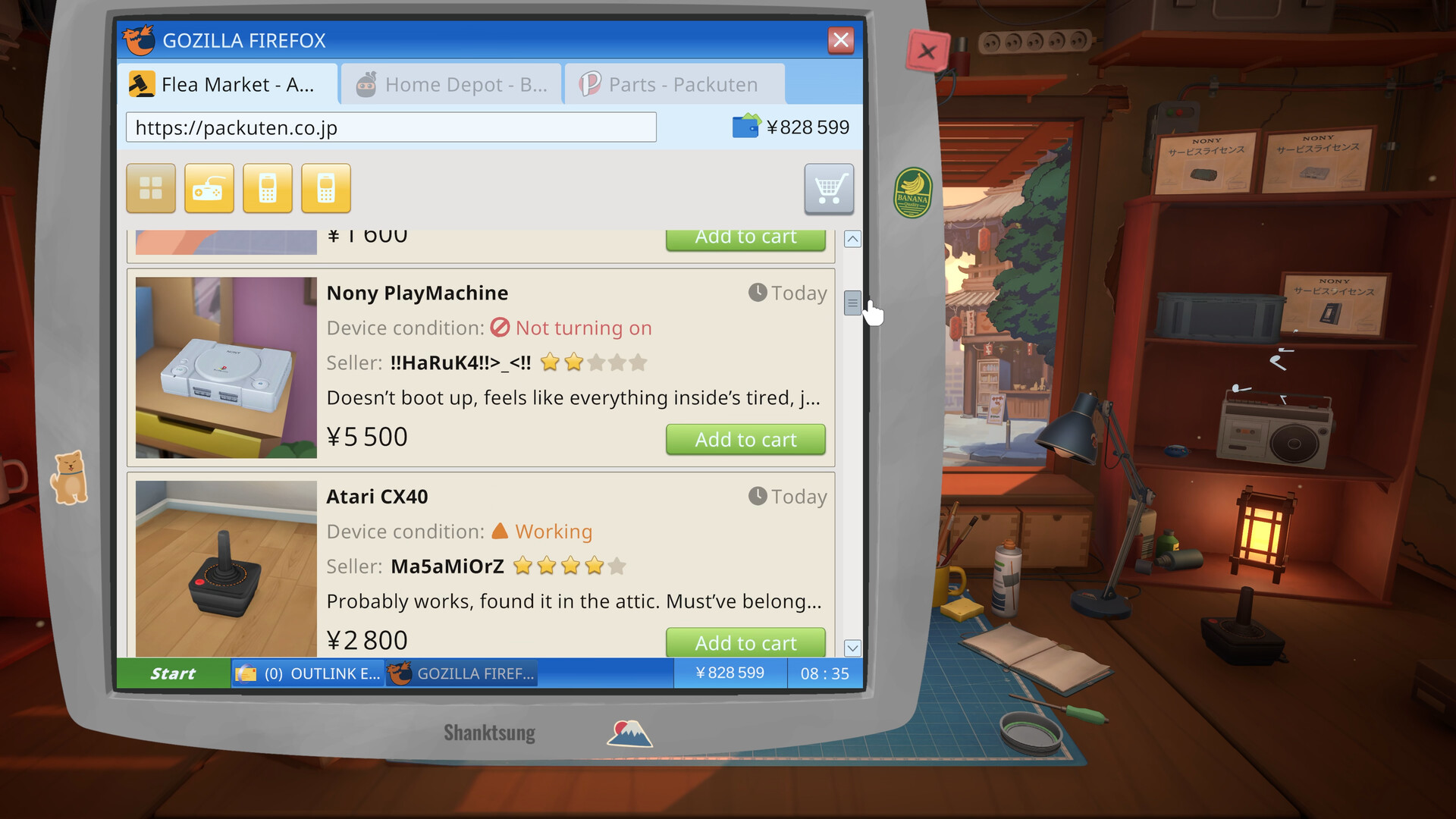
Table of contents
Replacement parts in ReStory come from more than one source. The Y2K-era computer lets you shop for individual components, buy second-hand devices as donors, and take online work. A parts box is another confirmed route. The best choice depends on what the current repair needs and what useful leftovers you can store.
Start with the failed component
Do not shop from memory. Disassemble far enough to identify the component named by the job checklist, then confirm that cleaning or an available repair action will not solve it.
Write down three things before opening the browser:
- the device family;
- the exact part position or name shown by the job;
- whether you already have a compatible working spare.
This small check prevents a cheap listing from becoming an expensive wrong purchase.
Three supply routes
Buy the part directly
Use direct parts shopping when the required component is listed and you do not need the rest of a donor. It is the simplest path for a known, single missing part.
Buy a second-hand device
The marketplace sells used devices in different conditions. A donor can be valuable when it contains the needed component and leaves other reusable parts behind.
Before buying, compare:
- whether the listing belongs to the right device family;
- the stated device condition;
- the cost versus buying the part alone;
- whether you have storage for the remainder.
Marketplace achievements track buying 5 and 25 devices, confirming that donor acquisition is a long-term system rather than a one-off tutorial trick.
Buy a box of parts
Parts boxes are confirmed by the Lootbox achievement, with a later milestone for buying 50 boxes. They can expand inventory, but a random or mixed supply is not automatically the fastest answer to one blocked customer repair.
The donor workflow
- Move the customer device off the active mat if necessary.
- Place the donor on the mat and disassemble only as far as needed.
- Remove the compatible working component.
- Store the donor's remaining useful parts.
- Return the customer device to the mat.
- Install the replacement in the correct internal layer.
- Complete reassembly and the job checklist.
Because only one device occupies the active mat, bench organization matters. Donor boxes, finished jobs, and decorative objects should not obscure the current task.
When to keep or clear a spare
Keep a component when it belongs to a device family you can service, is still usable, and has a realistic near-term repair role. Clear or recycle it when it is broken, duplicates overwhelm storage, or you do not own the license needed to make it useful.
The automatic answer is not “keep everything.” Storage itself is a shop constraint, and the shredder exists for broken parts.
A practical purchase rule
Prefer the least expensive option that completes the current paid task without creating a larger storage problem. That may be a direct part, a donor with valuable leftovers, or a parts box when you are deliberately building general inventory.
Return to How Repairs Work for installation order, or open Shop Growth and Money before making a large inventory purchase.
Related guides
How Repairs Work in ReStory
Follow the device checklist from intake through cleaning, component work, and reassembly.
Read guideReStory Tools and Workshop Upgrades
Understand confirmed screwdriving, cleaning, soldering, recycling, paint, sticker, and reprogramming paths.
Read guideReStory Shop Growth and Money Guide
Balance bills, parts, licenses, tools, reviews, storage, and workshop customization.
Read guide